
Human-AI collaboration on a live app
QORM's premise: a person and an AI agent work on the same running app at the same time, and each sees the other. qorm run serves one live runtime over the human UI (native canvas on macOS by default, or browser/WebView), HTTP MCP for the agent, and the DevTool/activity stream. Browser/WebView viewers stay in sync over Server-Sent Events (SSE).
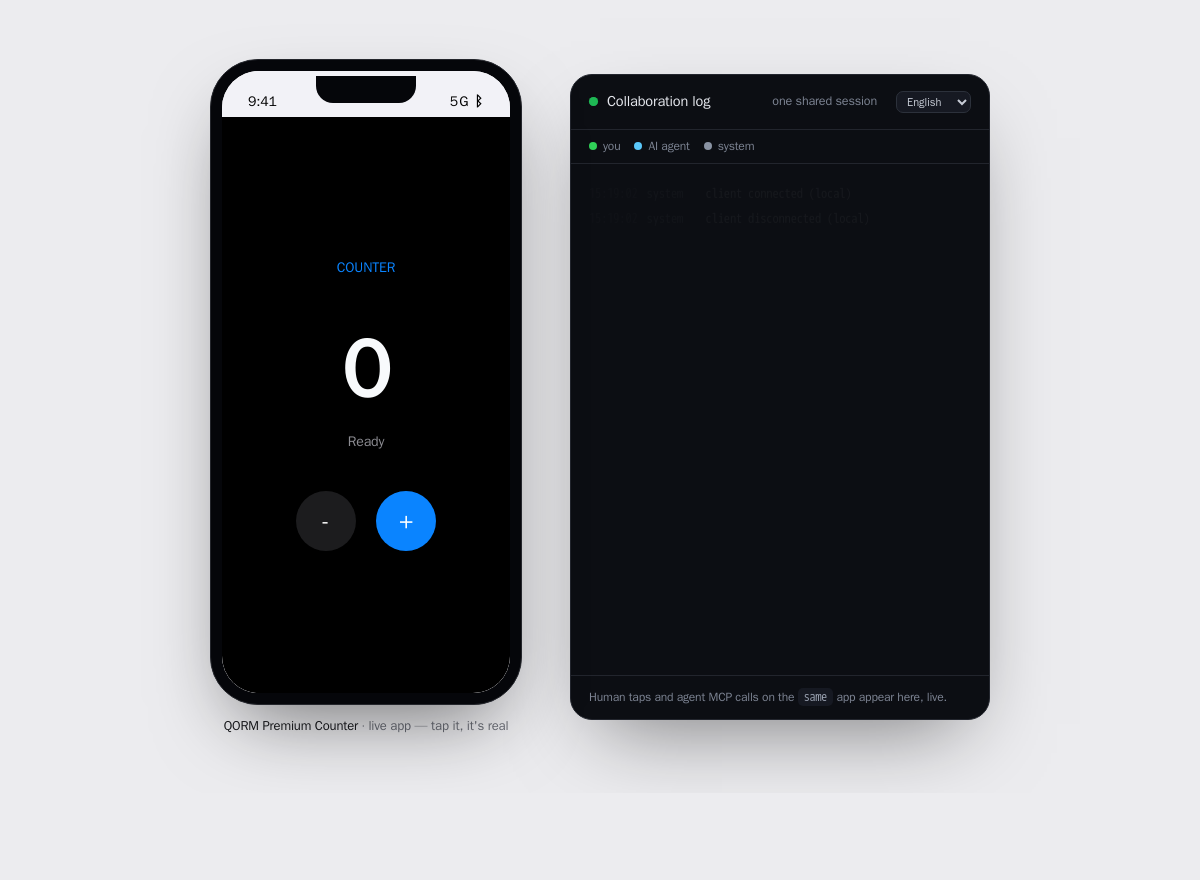 One running app, two panes: the live UI on the left and the shared session log on the right.
Start a shared session
qorm run examples/counter # native/browser UI + agent endpoint at /mcp- Human — use the window QORM opens, or open the printed URL. Native canvas
dispatches directly; browser/WebView clicks POST /event.
- AI — POST JSON-RPC to
http://127.0.0.1:PORT/mcp. That HTTP endpoint
shares the same runtime as the human UI. qorm mcp examples/counter is a separate stdio runtime and is useful for standalone tooling, not this live shared-session loop.
The loop — each sees the other
- The human sees the AI. When the agent edits the app (
qorm_apply_patch,
qorm_dispatch, qorm_set_state), the change appears in every connected browser instantly over SSE. An "AI edited · <what>" toast names it, and the elements the agent actually touched briefly pulse a blue outline — so you see not just that it edited but where.
- The AI sees the human.
qorm_activityreturns the shared session's live
presence: the events log (who did what, in order), humanFocus (the element the human is on right now), humanTyping (the text they last entered), and humanFilled (which password fields they completed — by label only; a password value is never captured). So the agent collaborates in context — "the human is filling the email field" — instead of guessing from state. Native canvas pointer/keyboard actions enter the same human events stream and DevTool as browser/WebView actions. Canvas also reports privacy-safe focus, typing, and hidden-field labels through the same presence model.
- The human sees what's shared. The activity panel (a separate window the
desktop app opens, or /logwindow) shows a shared with the AI line — the human's own focus and typed text, password fields marked value hidden — so it is transparent exactly what the agent can perceive.
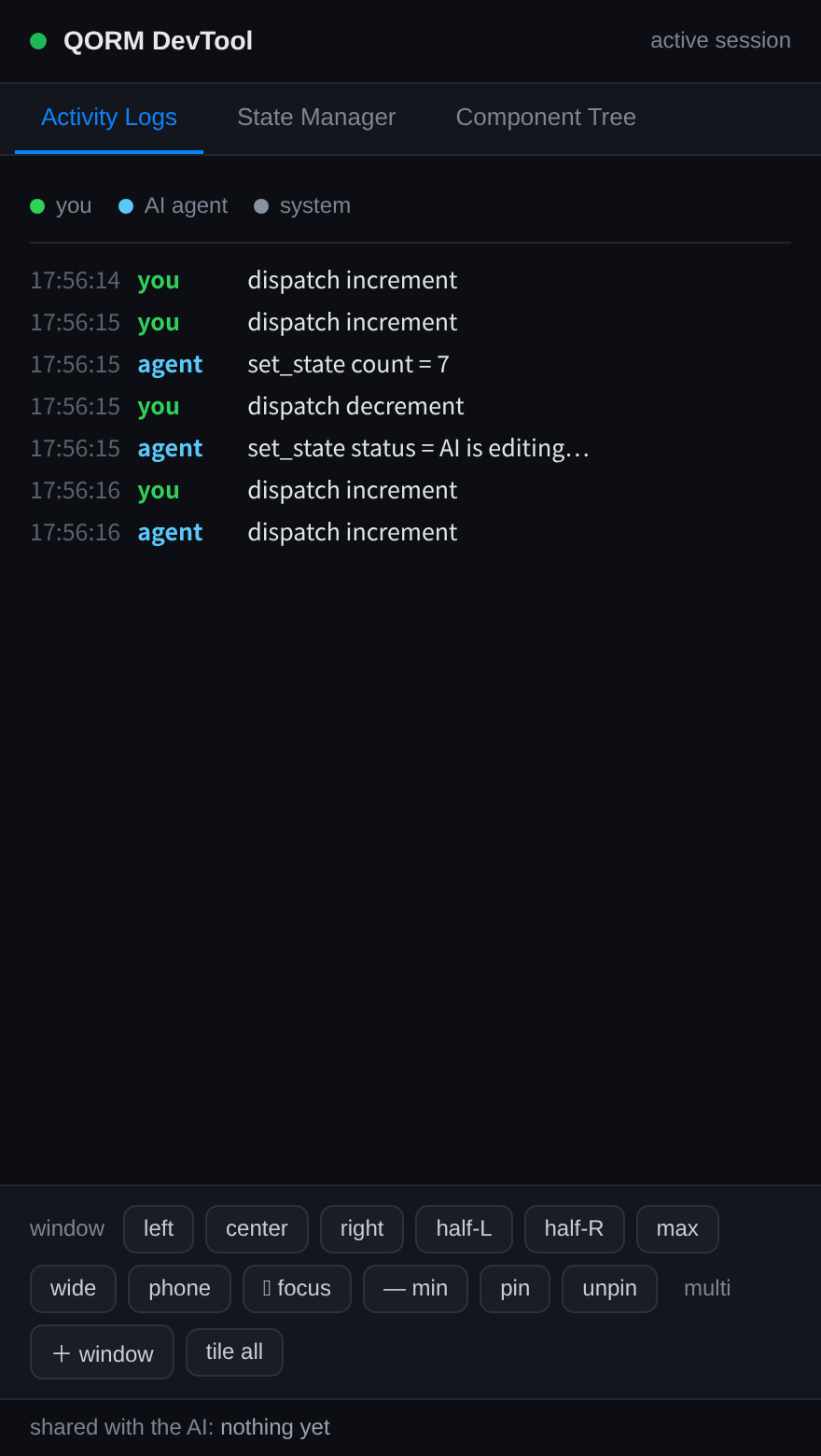 The shared session, made transparent: what the human sees in the DevTool is exactly what the agent can perceive.
Safe edits — review-bound
The agent's design changes are gated so a live app can't be changed unreviewed:
qorm_simulate_action,qorm_preview_patchandqorm_diffrun against a copy
and never touch the live app.
qorm_apply_patchcommits only if it carries thepreviewTokenfrom a matching
qorm_preview_patch of the same ops — every committed change was previewed.
qorm_undoreverts the last apply.
Self-verify
The agent proves its edits against the rendered reality, not assumptions: qorm_measure / qorm_check_layout (or the CLI qorm measure / qorm check) render the app and report real geometry. See verifying an app.
Tools at a glance
| role | tools |
|---|---|
| understand | qorm_inspect, qorm_query, qorm_get_node, qorm_render_html, qorm_activity |
| operate | qorm_dispatch, qorm_set_state |
| design (safe → commit) | qorm_preview_patch / qorm_diff → qorm_apply_patch, qorm_undo |
| verify | qorm_measure, qorm_check_layout |
Full reference: MCP tools. To add QORM to your agent, see integrations/.