
QORM Desktop Platform
Desktop is one of QORM's first-priority runtime platforms, well suited to development previews, production desktop apps, utility apps, and high-performance UI experiments.
Package it
qorm package examples/menus -p mac         # a macOS .app (per-platform cgo build)
qorm package app -p mac --release [--notarize]   # Developer ID + hardened runtime + DMG
./scripts/build-desktop.sh                 # native-window binary for this OS (-tags desktop)
qorm-desktop-... run examples/menus --app  # opens a native window
On Linux the tray, notification click-through and secure storage speak DBus directly (StatusNotifierItem / org.freedesktop.Notifications / Secret Service — GNOME needs the AppIndicator extension for the tray; keys land in GNOME Keyring or KWallet).
Examples that exercise desktop features: menus (system menu bar / tray / right-click menus, with icons + submenus), floating (chromeless + transparent, custom-shape window), desktop-hardware. See the support matrix for what's tested per OS.
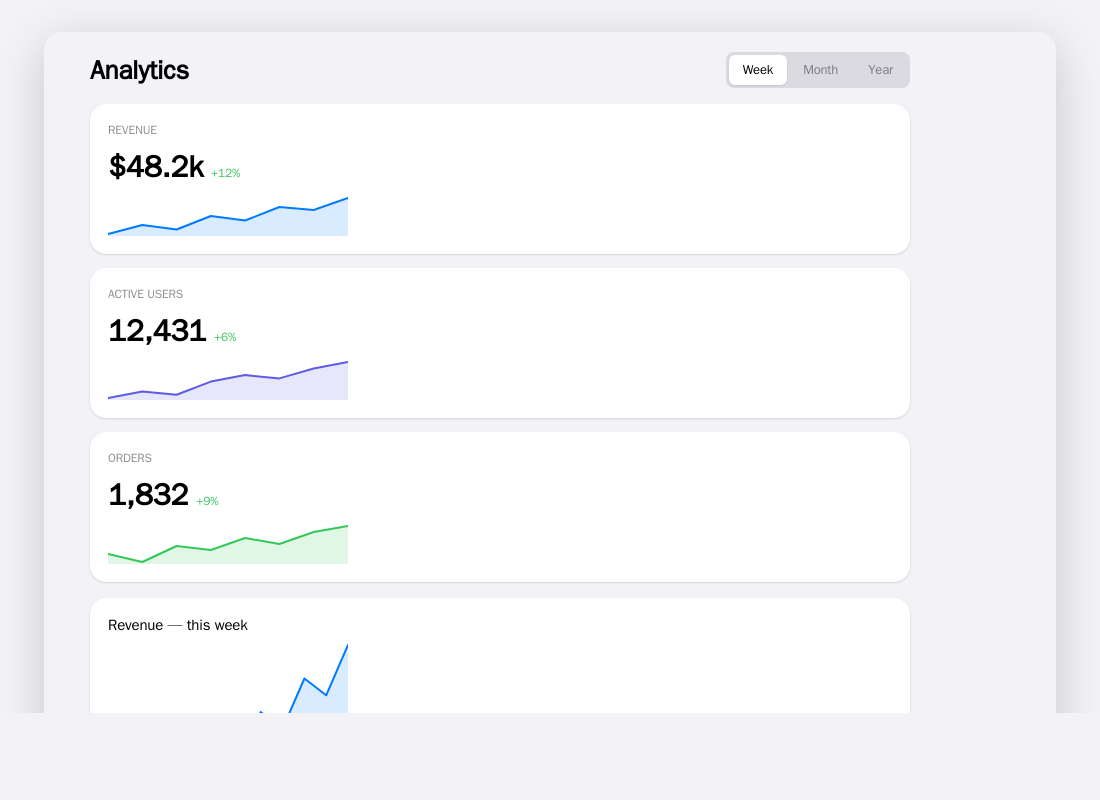 The dashboard example as rendered in a browser, shown as a stand-in. The same UI is hosted in a real native window by the
 -tags desktop binary; no native-window screenshot is captured in this build environment.
Architecture
qorm app (JSON) / qorm.bundle.json
  ↓
Go Runtime (loader + state + action + i18n, pure Go)
  ↓
Render host selected by build/platform
  ├─ Pure-Go retained canvas (macOS default, no `desktop` tag)
  │    measure → layout → display list → software raster
  ├─ Native WebView (`-tags desktop`)
  │    HTML/CSS → WKWebView / WebView2 / WebKitGTK
  └─ Browser fallback (other untagged desktop platforms)
Features
- Runs the pure-Go core directly (frontend + framework + the user's
native/desktop.gocompiled into a single binary). - The default path is pure Go, so you can cross-compile from one machine to macOS/Linux/Windows x amd64/arm64.
- Access to a more complete set of Host Capabilities.
- Provides development debugging, Agent Patch, preview, and profiling.
Host Capability
The Desktop Pack should support first:
network.request
storage.read/write
clipboard.read/write
filesystem.openFile
filesystem.saveFile
notification.show
window.resize
window.fullscreen
navigation.go
Dangerous capabilities must require authorization:
filesystem.write
shell
process.spawn
system.automation
Desktop dangerous-capability boundaries
shell,process.spawn, andsystem.automationmust be explicitly authorized.- The authorization scope should at minimum be bound to the target command, directory, or resource range.
- platform / app / host policy still takes precedence over what the Agent or Pack layer permits.
Rendering
Desktop has two concrete renderers over the same JSON/state/action model:
- On macOS, the default untagged
qorm runopens the pure-Go retained-mode
software canvas. It supports native input, scrolling, text editing, QSS, visual effects, and exports its live graph to MCP measurement. Actions from native pointer/keyboard input are also attributed to the human in the shared DevTool and qorm_activity event stream, with privacy-safe focus/typing presence. DevTool tree hover highlights the matching native node.
-tags desktopselects the HTML path in a platform WebView
(WKWebView/WebView2/WebKitGTK). It is not the canvas renderer.
The implementations share the app model but do not share layout/paint code, so verify the backend in scope: default qorm measure / static qorm check use headless canvas; a -tags desktop binary measures WebView/DOM. See verification and QSS / canvas effects.
Development tools
Desktop provides:
qorm run
qorm build
qorm preview
qorm measure
qorm check
qorm shot
See the CLI reference. The DevTool component tree can hover- highlight native Canvas nodes, and GET /dev/canvas reports the physical viewport plus latest layout/render/present/total frame timings. MCP can obtain the last-presented native pixels with qorm_capture_canvas.